



Home Blog Page 43

Pressure? Frank Schilling is a Top iPhone (and X) Gif

Over the weekend, I was texting some friends about buying tickets for a concert this Summer. One of our friends was suffering from a bit of analysis paralysis as he debated whether to choose tickets that were closer to the stage but towards the side or tickets in the center but a bit further back. I searched for an iMessage gif for the term “pressure” and quickly sent him the first one I found.

It was after I sent the image that I recognized the person in the gif. It wasn’t a famous athlete or actor. In fact, I would imagine most people who see that gif wouldn’t know who the person is at all. It was Frank Schilling.
Cut Down on Spam Calls with Google Voice

3

My general preference is to register my domain names without Whois privacy enabled. The downside to that is my business phone number is exposed, and it leads to many spam phone calls. This happens frequently after winning domain names at auction and companies send emails trying to sell web development and related services.

One thing I’ve done in an effort to reduce the volume of spam phone calls is use Google Voice for Whois. I don’t forward the phone to my mobile number, so the calls go straight to voicemail. I check Google Voice on occasion to ensure I didn’t receive any phone calls or texts that need to be returned.

Saved by the Down Button at NameJet

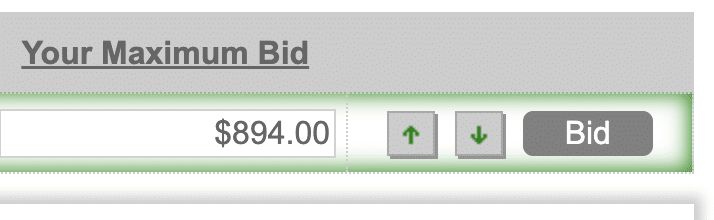
If you bid on auctions at NameJet, you’re probably familiar with the up and down arrows in the control panel control panel buttons.

These buttons allow you to increase or decrease your bid by the standard bid increments. Bidders can also input their maximum bid amount by hand if they prefer, but sometimes it’s just easier hitting the up arrow to place a bid.

Small Hurdle for Prospects When Afternic Self-Brokerage is Enabled

I enabled Afternic’s self-brokerage option as soon as I heard it went live. I immediately tested it out with one of my own domain names so I could see how the platform works as a buyer and as a seller. Before I got started, I ran into an issue, and I couldn’t tell if it was a feature or a bug. James Iles confirmed to me that it this difference is intentional.

When sellers have the self-brokerage option disabled, prospective buyers will be shown a form to submit an offer. On the form, they need to provide their name, email address, and phone number. There are also a few pop-up questions that appear after submitting the form. When sellers have self-brokerage enabled, prospective buyers who wish to submit an offer will need to sign-in to a GoDaddy account to proceed or create a new GoDaddy account. You can have a look at the difference here:

Self-Brokerage Available to 100k GoDaddy Customers


I am sure one of the most popular requests of GoDaddy is the ability to manage inbound purchase inquiries and offers for domain names listed for sale via Afternic. This is no surprise considering this was a major selling point of two companies GoDaddy acquired – Dan.com and Uniregistry.

Afternic just announced self-brokerage capabilities have been enabled for approximately 100,000 people who are members of GoDaddy’s Discount Domain Club’s top tier. I can see this has been enabled in my account, and I am going to test the platform to see how it works for a buyer and seller to get a feel for how it works, how it looks, and the timing of inquiries and responses.

Notably, the sale commission for a successful transaction is the same percentage as it would be if a GoDaddy/Afternic broker were negotiating on behalf of the owner. The advantage (or disadvantage depending on your perspective) is the domain registrant can respond and negotiate in their own style and at their own pace.

LTO Usage Can Pose a Risk

4

Lease to Own deals have become much more normal in the domain space. LTO deals give buyers the opportunity to use a domain name at a lower upfront cost, and it gives domain name sellers a source of consistent monthly income. There is some risk with LTO deals for a domain investor. I was asked about this today on X.

If a lessee engages in deceptive or illegal practices with the domain name – anything from phishing schemes, email spam, selling counterfeit or illegal products/services, or hosts other illegal activities on the domain name, there can be problems for the domain name and domain name registrant.
