




It’s a great feeling to sell a newly registered domain name. It validates that the time and money I spent on researching something was worthwhile, particularly when the domain name was sold without any outbound effort.
In mid-March, I read an article about something that got me thinking about domain names. I immediately registered 17 domain names at GoDaddy and listed them for sale on Afternic. Out of the blue, two of those domain names sold yesterday (singular and plural two word .com domain names). This was great, but it also led to a bit of confusion for me.
Since these domain names were less than 60 days old, they were ineligible for the Afternic fast transfer service. Instead, Afternic prompted me to provide the authorization codes for these domain names. Within the domain name settings page for each domain name, the typical link to get the authorization code was not there because they were within the ICANN mandated 60 day transfer lock period.
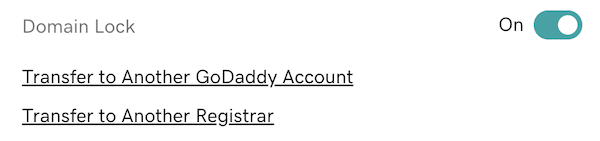
Here’s what this normally looks like for domain names that are older than 60 days (the transfer link will take me to the authorization code page):
Here’s what that looked like for me for these two newly registered domain names that had the 60 day ICANN transfer lock:
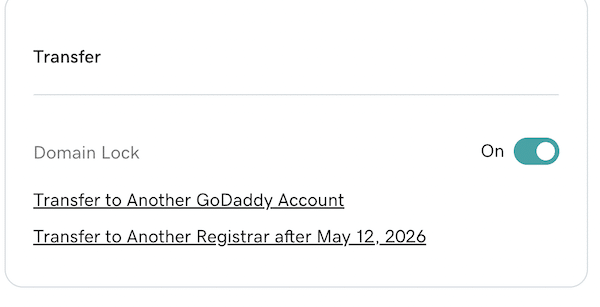
Clicking the link that said “Transfer to Another Registrar after May 12, 2026” brought me to a page that explained why the domain name couldn’t be transferred until May 12. For these two domain names, it was because ICANN prohibits domain name transfers within the first 60 days of registration.
I reached out to GoDaddy’s James Iles to ask him what to do to complete these two sales. James provided an easy way to access the authorization codes for newly registered domain names:
- Select the names in your portfolio manager.
- Click “More” from the footer menu.
- Select “Export as CSV” and select “Include Authorization Codes.”
- Export the domains.
This worked. I copied each auth code and pasted it in the authorization code request field within the Transaction Activity pages on Afternic for each domain name. Within a short period of time, I received confirmation emails from Afternic notifying me the domain names were successfully transferred. I assume the domain names were sent to an Afternic holding account or the buyer’s account at GoDaddy since they can’t be transferred out of GoDaddy yet.
I assume GoDaddy makes it less easy to access the transfer codes because providing them could confuse people looking to transfer out when they can’t be transferred yet, and the number of customers who need a transfer auth code for this scenario is pretty small. If you find yourself in this position – congratulations on the sale – and here’s how to get the authorization code from GoDaddy.


If the domain name is a Push to another Godaddy account, there is no need of Authcode.
Hi! If you’re not instructed to push, don’t. It actually makes things harder, since it circumvents the automations we brought in with our updated TA system in 2025. It ultimately delays the transaction closing, and your payout.
James,
Wouldn’t it be easier to just update your “TA System 2025”?
Spaceship performs an internal push at any registrar regardless of whether there’s a 60-day lock or not, so that the seller stays happy. That’s why their client base has grown so sharply. They actually listen to their customers and their requests, instead of only caring about what’s convenient for you or the domain buyer. Everything should be set up so that all parties remain satisfied, which unfortunately cannot be said about your case with the restrictions tied to the 60-day transfer lock.