




It’s the end of the year, so I am spending a bit of time consolidating some of my domain names into my GoDaddy account, where I keep the majority of my domain names. For many of these domain names held at different registrars, a pending delete auction win prevents me from transferring for the first 60 days, and I tend to transfer these names in bulk at the end of the year.
I just transferred about 3 dozen names to GoDaddy. I like NameBright and Namecheap, but I feel like I have a better handle on them if I keep them in all in one primary account.
When a domain name is used for forwarding, it generally utilizes the domain registrar’s nameservers. When it transfers out to a different registrar, the nameservers remain the same but the functionality stops. This means a domain name that transfers from Namecheap to GoDaddy will stop forwarding correctly once the transfer finalizes.
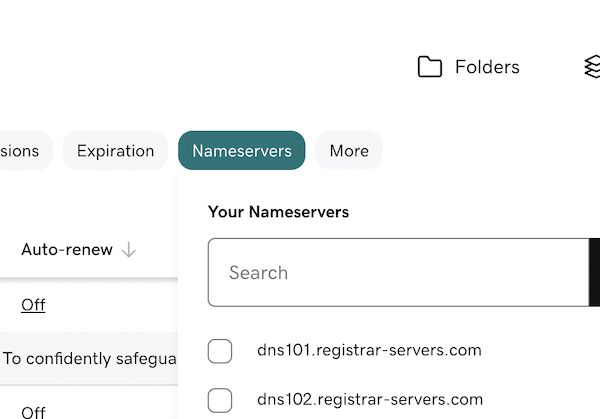
What I like to do is click the “nameservers” button within my GoDaddy control panel to see if I detect any incorrect nameservers. If I see any nameservers for Namecheap, for example, I know the domain name will no longer forward correctly.
Earlier this year, I won the auction for mbrace.com, a typo of Embrace.com. I have been forwarding the domain name to Embrace.com since winning the auction. After transferring the domain name to GoDaddy, I needed to change the nameservers to the GoDaddy default nameservers and set up forwarding again. Had I not done this, the domain name wouldn’t resolve correctly.
Looking through the list of nameservers for my domain name is a quick way to ensure there aren’t any funky nameservers used by my domain names. It’s also a quick way to see if any domain names used for forwarding need to be updated after transfer.
